Game Mechanics
How Platform Collision Works

Detecting that two rectangles overlap is four comparisons. Deciding what that overlap means in a platformer is where the real work is, and it is the source of nearly every classic bug in the genre.
Why overlap alone is wrong
Suppose the character overlaps a platform. Did it land on top of it, hit the side of it, or jump up through it from below? Overlap cannot tell you, and each case needs a different response.
If you pick wrong, the symptoms are familiar: the character is stopped in mid-air by a platform it jumped up through, or it slides along the top of a wall it should have hit, or it snaps to the wrong surface entirely.
One-way platforms
The most common platformer convention is a platform that is solid from above and passable from below. Implementing it needs three conditions checked together.
- Is the character moving downward? If rising, ignore the platform entirely.
- Was the character's feet position above the platform's surface at the start of this frame?
- Is it at or below that surface now?
If all three hold, the character crossed the surface from above during this frame. Snap its position to the surface and zero its vertical velocity. That is the whole of the one-way mechanic, and it is why you can jump up through a platform and land on it on the way down.
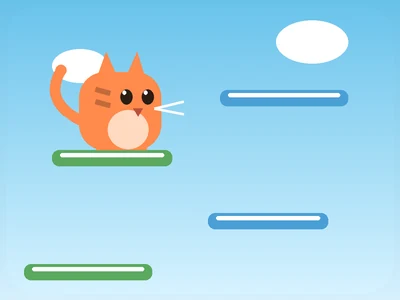
Kitty Jump uses exactly this, which is what makes an upward climb possible - every platform you pass through on the way up is available to land on.
Solid platforms and axis separation
A hand-designed platformer usually wants platforms that are solid on every side. Here the problem is different: if you move the character on both axes and then resolve, the game cannot tell whether you hit the side or the top, and it will guess wrong often enough to be noticeable.
The fix is to move and resolve one axis at a time.
- Apply horizontal movementMove the character by its horizontal velocity.
- Resolve horizontal collisionsFor each overlapping platform, push the character back to the platform's left or right edge depending on which way it was moving, and zero the horizontal velocity.
- Apply vertical movementMove the character by its vertical velocity.
- Resolve vertical collisionsPush the character to the platform's top or bottom edge depending on direction. Landing on the top also sets the grounded flag.
Each resolution now knows unambiguously which direction it is correcting. A character that runs into a wall stops; a character that lands on a ledge lands; neither is mistaken for the other.
The landing snap
Positions are only known at frame boundaries, so a falling character is rarely exactly at the surface when a frame ends - it is usually slightly below it. Left alone, that produces a character wedged into the floor.
The snap fixes it: on landing, set the position exactly to the surface rather than leaving it wherever the frame happened to put it. This also handles the case where you clipped the very edge of a platform you clearly reached, which without the snap would register as hitting the side.
Moving platforms
A platform that moves introduces an ordering question. Update the platform first, then the character, or the character will be resolved against where the platform used to be and will appear to sink into it.
A character standing on a horizontally moving platform also needs to be carried along with it, which means applying the platform's movement to the character before the character's own movement. Skipping that produces the characteristic bug where the platform slides out from under you.
Ledge tolerance
Two small generosities make platformers feel right, and both are invisible.
- Coyote time. A jump pressed within about a tenth of a second of leaving a ledge still counts as a ground jump. Players consistently press a few frames late, and without this those attempts fail for no perceptible reason.
- Input buffering. A jump pressed just before landing is remembered and fires the instant the character touches down, rather than being discarded.
Neither is a cheat. Both correct for the gap between a player deciding to jump and their finger actually moving, and they are standard practice for exactly that reason.
Key Takeaways
- Overlap does not tell you what happened - landing is a direction and crossing question.
- One-way platforms check downward motion plus a surface crossing during this frame.
- Move and resolve one axis at a time so each correction knows its direction unambiguously.
- Snap to the surface on landing, or the character wedges into the floor at frame boundaries.
- Update moving platforms before the character, and carry the character along with them.
Frequently Asked Questions
Why can I jump up through some platforms?
They are one-way: solid from above and passable from below. It is what makes upward climbing games possible.
Why do I sometimes stop dead against a platform edge?
Horizontal resolution treating a near-landing as a side collision. A landing snap and a small tolerance normally prevent it.
What is coyote time?
A short grace window after leaving a ledge during which a jump still registers. It corrects for how late people actually press.
Why do moving platforms sometimes slide out from under me?
The character is not being carried with the platform. The platform's movement has to be applied to anything standing on it.
Is collision the reason platformers feel good or bad?
A large part of it. Coyote time, input buffering and the landing snap are invisible individually and collectively decide whether a game feels responsive or stiff.